Use guide to add member info, change passwords or cancel subscriptions.
- Click button below.
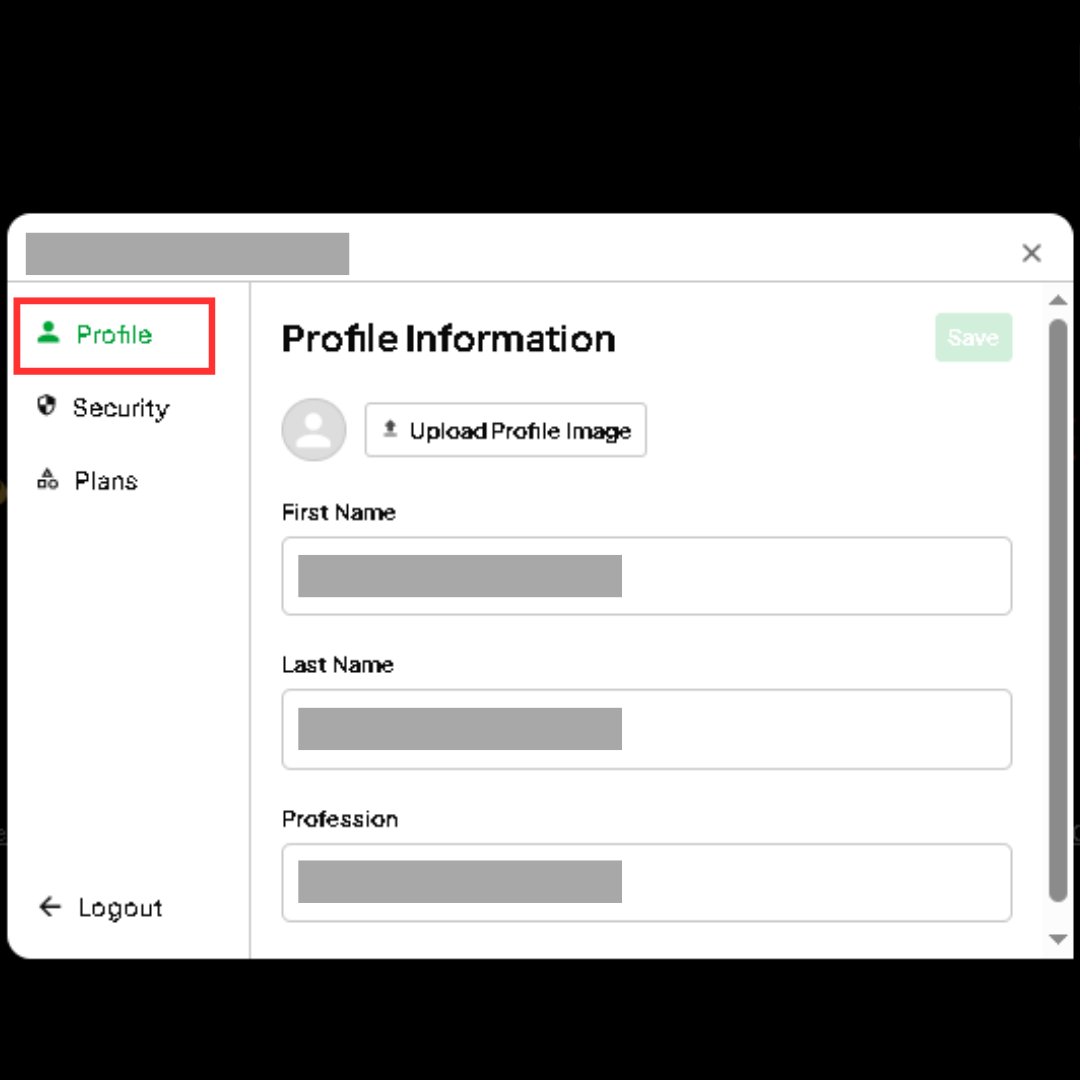
- Select PROFILE in the pop up window.
- Add / Edit personal details for public view.
- Click SAVE at the top of the pop up window.
- Allow up to 72 hours for changes to update on the website.
- Click button below.
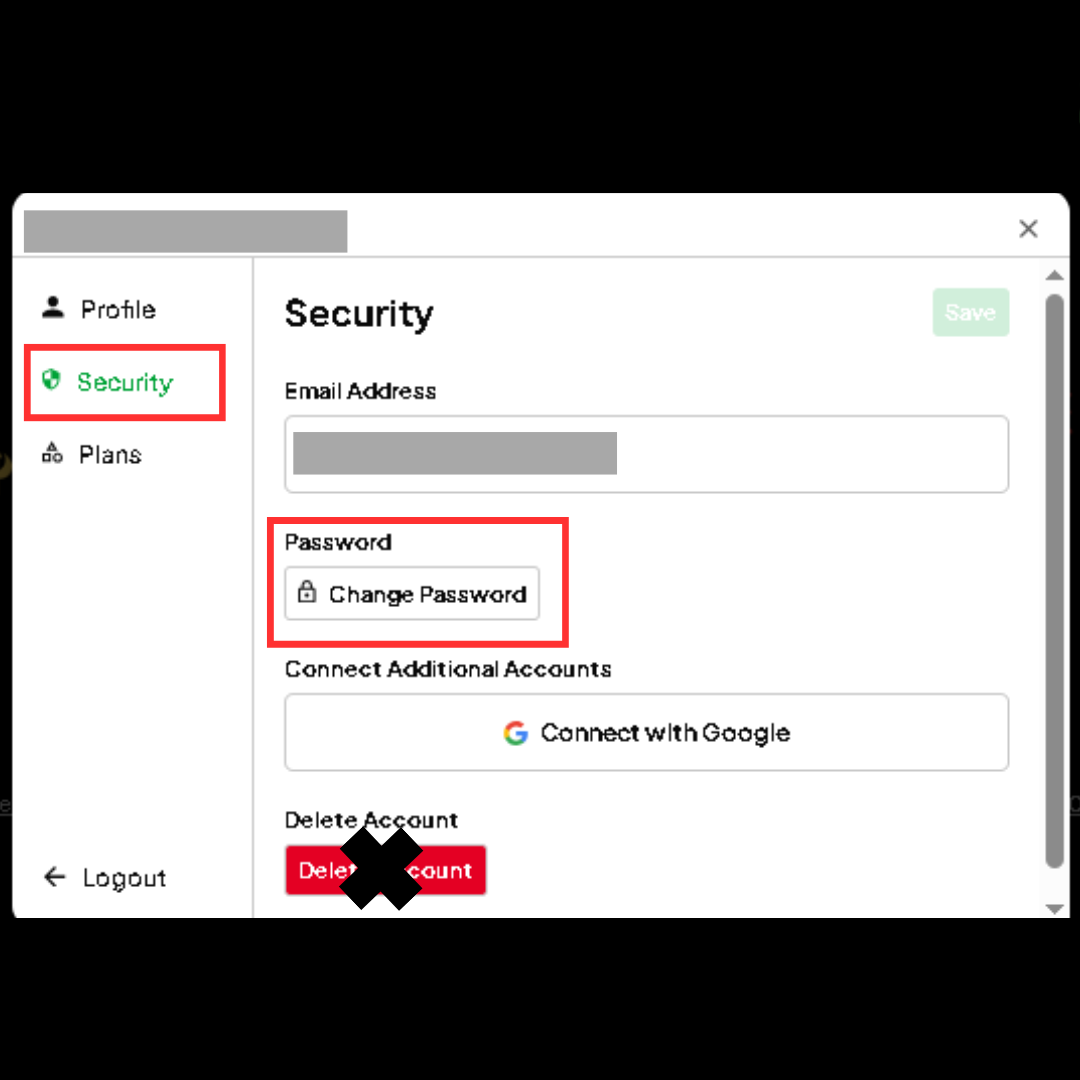
- Select SECURITY in the pop up window.
- Click CHANGE PASSWORD
- Input current and new passwords in the followng screen.
- Click SAVE at the top of the pop up window.
STEP ONE FOR BOTH OPTIONS
- Click button below.
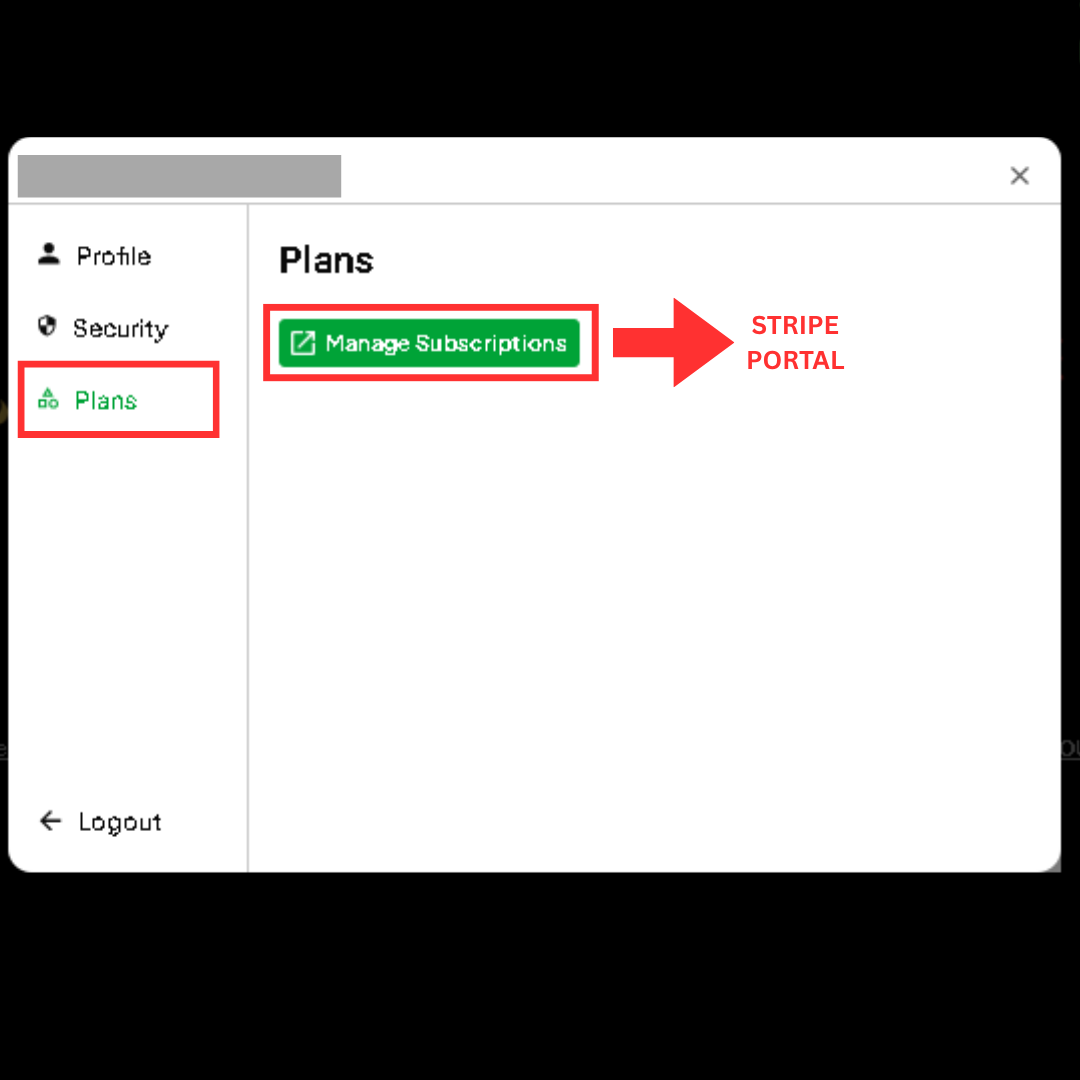
- Select PLANS in the pop up window.
- Click MANAGE SUBSCRIPTIONS and wait until screen changes to Stripe.
- Once in Stripe, click CANCEL SUBSCRIPTION.
- Scroll up at the top of the screen and click "Return to KeiStar Productions"
- Sign out of the Spinnaverse.
STEP TWO: UPGRADE TIER
- Re-Sign in to the Spinnaverse.
- Click UPGRADE MEMBERSHIP TIER under Membership Management
- Select new payment tier and follow the prompts in Stripe.
STOP PAYMENTS ONLY
- Your username and password are still active in case you decide to upgrade your membership tier at a later time.
- Click button below.
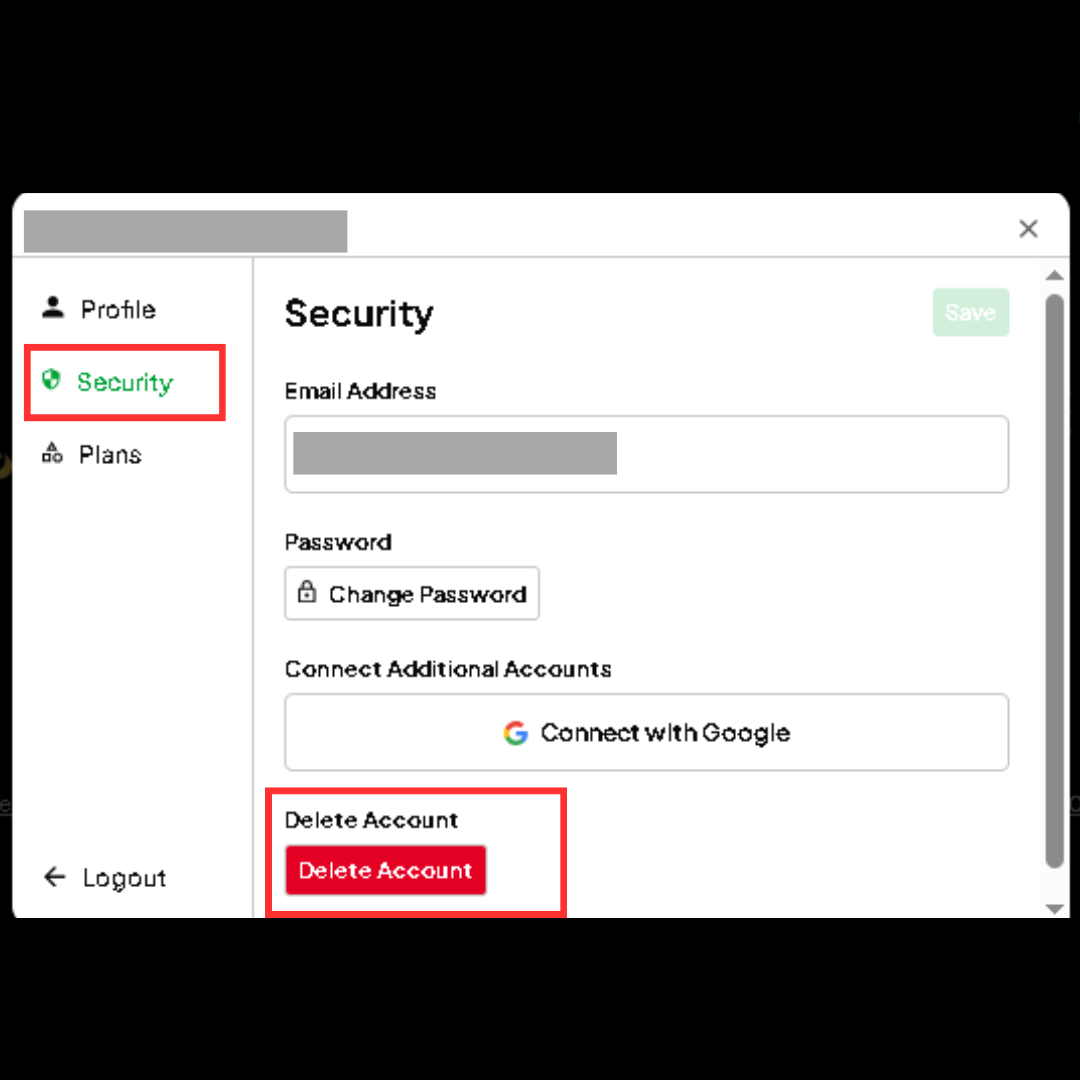
- Select SECURITY in the pop up window.
- Click DELETE ACCOUNT button
- Username, profile, password and payment info are deleted immediately.

.png)
.png)
.png)